
Consider a simple example.
Two labs test the same USB Type-C connector. One reports an insertion force of 11.8 N. The other reports 14.1 N.
The first question is usually:
Which tester is wrong?
Often, neither one is.
Before comparing the force values, compare the test conditions.
Was the same mating cycle measured? Was the test speed the same? Did both fixtures support the receptacle in the same way? Were the plug and receptacle on the same mating axis? Did both tests stop at the same endpoint?
For a compact interface such as USB Type-C, those details matter.
A load cell can measure force accurately while the overall test still produces data that are difficult to compare because the mechanical conditions are different.
That leads to a useful rule for USB Type-C insertion and extraction force testing:
A force value is only comparable when the mechanical test conditions are comparable.
This guide focuses specifically on the mechanical mating behavior of the USB Type-C plug and receptacle interface. It does not cover cable flexing, cable pull-out, electrical performance, signal integrity or USB Power Delivery compliance.
USB-IF currently lists the USB Type-C Cable and Connector Specification Release 2.5, dated April 8, 2026. Specific force limits, conditioning requirements and acceptance criteria should therefore be checked against the specification revision and customer requirement applicable to the project.
1. The Load Cell Measures More Than Contact Force
It is tempting to think of USB Type-C insertion force as the resistance of the electrical contacts.
That is only part of the mechanical event.
As the plug enters the receptacle, the force sensor can respond to several interactions:
contact engagement, shell interaction, guidance features, retention features, friction and alignment behavior.
And if the fixture is poorly designed, it can also respond to something that should not be part of the test:
fixture-induced side load.
Imagine a USB Type-C plug approaching a receptacle with a small lateral offset.
The shell makes contact earlier than intended. The machine continues moving along its axis. The load cell records the additional resistance.
The force reading is real.
But it no longer represents only the intended mating behavior of the connector.
This distinction matters when troubleshooting unexpectedly high insertion force. Before concluding that the connector itself is too tight, check whether the fixture has changed the mechanical path.
【IMAGE 1 — INSERT HERE | LEFT/RIGHT】
What Contributes to the Measured USB Type-C Force?
LEFT — MECHANICAL INTERFACE
USB TYPE-C PLUG
↓
RECEPTACLE
Identify:
CONTACT
SHELL / GUIDANCE
RETENTION
RIGHT — MEASUREMENT
Mechanical interactions lead toward:
FORCE SEEN BY SENSOR
Include:
ALIGNMENT
FIXTURE EFFECT — IF PRESENT
Bottom Caption:
The load cell sees the complete mechanical interaction—not just contact force.
Suggested Alt Text: USB Type-C insertion force mechanical interface
Image Size: 960 × 640 px
2. Insertion, Extraction and Durability Are Not the Same Test
The motions are related, but the measurements answer different questions.
Insertion force describes the force required to mate the USB Type-C plug with the receptacle.
Extraction force describes the mechanical resistance during withdrawal.
Durability testing repeatedly mates and unmates the interface to evaluate how its mechanical behavior changes with cycling.
A project may require one, two or all three.
So a request such as:
“Test the USB-C connector force.”
still leaves several questions unanswered.
Do you need initial insertion force?
Initial extraction force?
Extraction after preconditioning?
Force after durability?
Or repeated mating cycles with before-and-after force comparison?
Define the mechanical event before setting up the machine.
For projects using a general connector insertion/withdrawal method, this is also where the applicable connector standard or customer procedure should be identified rather than assuming all mechanically similar tests are equivalent.
3. Cycle Number Is Part of the Result
Suppose a test report says:
Extraction Force: 9.8 N
That looks precise.
But what does it describe?
The first extraction?
A measurement after defined preconditioning?
A connector that has already completed hundreds or thousands of mating operations?
These are different specimen conditions.
Historical USB Type-C specifications illustrate why this distinction matters. Earlier revisions defined mechanical requirements around specific test conditions and stages of connector cycling. Those historical requirements are useful for understanding the methodology, but they should not be copied into a current test plan without confirming the applicable specification revision. USB-IF now lists Release 2.5 as the current Type-C cable and connector specification.
The engineering lesson is straightforward:
Record when the force was measured, not just how much force was measured.
For comparative testing, cycle condition belongs with the result just like test speed, specimen ID and fixture configuration.
【IMAGE 2 — INSERT HERE | LEFT/RIGHT】
New vs Preconditioned USB Type-C Connector
LEFT — NEW CONDITION
NEW MATING PAIR
↓
Representative initial force curve
RIGHT — DEFINED PRECONDITIONED CONDITION
MATING CYCLES COMPLETED
↓
Representative force curve
Center:
SAME INTERFACE
DIFFERENT TEST CONDITION
Do not imply that one curve must always be higher than the other.
Bottom Caption:
Cycle condition belongs with the force result.
Suggested Alt Text: USB Type-C extraction force preconditioning
Image Size: 960 × 640 px
4. Test Speed Is Part of the Result
Speed is sometimes treated as a machine setting.
For connector force testing, it is part of the test condition.
A USB Type-C interface goes through several mechanical events over a short travel. Guidance begins, surfaces interact, contacts engage, retention features act, and the connector approaches its fully mated condition.
The force curve describes those events under a particular motion condition.
Change that condition and you are no longer performing exactly the same mechanical test.
The practical problem appears when data from different sources are compared.
A supplier report and an incoming-inspection laboratory may both contain a column called:
Insertion Force (N)
But if they used different speeds, cycle conditions or mating endpoints, the values should not automatically be treated as directly comparable.
Before investigating the connector, compare:
speed, cycle condition, mating counterpart, fixture, travel and endpoint.
This becomes particularly important during supplier qualification. A difference in test method can easily be mistaken for a difference in connector quality.
5. The Fixture Can Become Part of the Measurement
For USB Type-C testing, fixture design is not an accessory issue.
It is part of the measurement system.
A good fixture should hold the specimen, establish a repeatable mating axis and stay out of the mechanical event being measured.
Problems begin when it does more than that.
Offset Creates Side Load
If the plug and receptacle centerlines are displaced, the connector can encounter shell interference before normal mating develops.
The machine continues moving along its axis.
The connector is forced to compensate.
The load cell sees the additional resistance.
Angular Error Changes the Entry Condition
A small angular mismatch can make one side of the plug engage first.
This may create an early force event that would not appear in a correctly aligned setup.
Over-Clamping Can Change Geometry
USB Type-C components are small.
A fixture that grips too aggressively can deform the housing, shell, PCB assembly or supporting structure enough to influence mating behavior.
Fixture Deflection Can Change Alignment Under Load
A setup can look correctly aligned before the test starts and move out of alignment once force is applied.
Visual alignment at zero load is useful.
It is not always sufficient.
A practical fixture philosophy is:
Hold. Locate. Don't interfere.
The fixture should control the test without becoming the reason for the measured force.
【IMAGE 3 — INSERT HERE | LEFT/RIGHT】
Aligned vs Misaligned USB Type-C Test
LEFT — CORRECT
USB Type-C plug directly above receptacle.
Labels:
MATING AXIS
COAXIAL
AXIAL MOTION
NATURAL GUIDANCE
RIGHT — MISALIGNED
Small lateral or angular offset.
Labels:
OFFSET
SIDE LOAD
SHELL CONTACT
EARLY FORCE RISE
Bottom Caption:
The tester should measure the connector—not fixture-induced interference.
Suggested Alt Text: USB Type-C insertion force fixture alignment
Image Size: 960 × 640 px
6. The Same USB Type-C Interface Can Require Different Fixtures
A Type-C receptacle is standardized at the mating interface.
That does not mean every test specimen should be mounted the same way.
Consider three specimens:
a loose receptacle,
a receptacle soldered to a PCB,
and
the same receptacle installed in a finished product housing.
The mating interface may be nominally the same.
The mechanical boundary is not.
Bare Component
A loose receptacle requires a fixture that supports the component without distorting its shell or body.
PCB-Mounted Receptacle
Now the reaction load may pass through:
connector → soldered interface → PCB → fixture
If the PCB is poorly supported, some machine travel can be consumed by board deflection.
The load cell may still produce a clean curve, but the system being measured is no longer simply a rigidly supported connector interface.
Finished Device
A receptacle installed in a phone, charger, controller or other housing introduces another mechanical boundary.
The housing may provide the support that exists in real use.
Alternatively, housing features may restrict fixture access or change how the assembly must be located.
So when two laboratories say they tested “the same USB-C receptacle,” ask one more question:
How was the receptacle mounted?
That detail can explain differences that calibration certificates cannot.
7. Define the Mating Endpoint Before Testing
Insertion force testing needs a defined end.
Otherwise, the machine can measure an event you never intended to include.
Imagine that the plug has reached its intended fully mated position.
The machine continues moving.
Something else eventually resists that motion:
a fixture surface,
a housing stop,
a rigid support,
or another mechanical feature.
The force rises sharply.
If the software simply reports the maximum value in the complete acquisition window, that artificial end-of-travel event may become the reported “maximum insertion force.”
The load cell has not failed.
The test definition has.
Before running the test, define:
starting position, first engagement region, intended mating travel, fully mated condition and stop criterion.
Do the same for withdrawal.
A repeatable endpoint makes force data much easier to compare between specimens and laboratories.
8. How to Read a USB Type-C Force–Travel Curve
A peak number tells you how high the force became.
A force-travel curve tells you how the connector got there.
For engineering work, that distinction is valuable.
A representative insertion curve can be divided into several mechanical regions.
A — Approach
The plug moves toward the receptacle before meaningful mechanical engagement.
Force should remain close to the system baseline.
B — First Mechanical Contact
The mating components begin interacting.
This is where guidance and initial interface contact start to matter.
C — Progressive Engagement
The connector moves farther into the receptacle.
Several mechanical features may contribute to the changing force.
D — Main Force Event
A significant peak may occur as the mating interface progresses through its primary mechanical engagement.
Its magnitude matters.
Its position matters too.
E — Defined Mating Endpoint
The test reaches the condition defined as fully mated.
The machine should not simply continue moving until an unrelated mechanical stop creates a larger force.
【IMAGE 4 — INSERT HERE】
Anatomy of a USB Type-C Insertion Force Curve
Single large chart.
Vertical Axis:
FORCE
Horizontal Axis:
TRAVEL
Mark:
A — APPROACH
B — FIRST CONTACT
C — ENGAGEMENT
D — MAIN FORCE EVENT
E — MATING ENDPOINT
Add one small abnormal early feature:
POSSIBLE EARLY INTERFERENCE
Do not add arbitrary force limits.
Bottom Caption:
Where the force occurs can be as useful as how high it becomes.
Suggested Alt Text: USB Type-C insertion force travel curve
Image Size: 960 × 640 px
An unusually early peak can sometimes tell you more than the maximum force itself.
That is where the curve becomes a diagnostic tool rather than just another way to display a number.
9. Same Peak Force. Different Mechanical Event.
Consider two USB Type-C samples.
Both produce an illustrative:
Peak insertion force: 15 N
If the report contains only maximum force, they appear identical.
Now look at the curves.
Sample A
Force develops progressively through the expected engagement region.
The 15 N peak occurs during the main mating event.
Sample B
A sharp 15 N event occurs almost immediately after engagement begins.
Force then falls before the connector continues mating.
The peak values are identical.
The mechanical stories are not.
For Sample B, an engineer might investigate:
plug/receptacle offset, shell interference, dimensional variation, fixture contact or incorrect mounting.
The curve does not automatically diagnose which one occurred.
It tells you where to look.
That is a much better use of force-displacement data than treating every unusual curve as an automatic connector failure.
【IMAGE 5 — INSERT HERE | LEFT/RIGHT】
Same Peak. Different USB Type-C Mating Event.
LEFT — NORMAL ENGAGEMENT
Representative smooth force-travel curve.
ILLUSTRATIVE PEAK: 15 N
Peak in expected engagement region.
RIGHT — EARLY INTERFERENCE
Representative early spike.
ILLUSTRATIVE PEAK: 15 N
Continue curve through remaining mating travel.
Center:
SAME PEAK ≠ SAME MATING BEHAVIOR
Bottom Caption:
The maximum tells you how high the force became. The curve shows where it happened.
Suggested Alt Text: USB Type-C insertion force displacement curve comparison
Image Size: 960 × 640 px
10. When the Curve Looks Wrong, Check This First
A strange force curve does not immediately prove that the connector is defective.
Start with the mechanical setup.
Peak appears too early — Check axial alignment, plug entry angle and shell interference.
Force rises sharply at the end — Check the mating endpoint and fixture clearance. The machine may be driving beyond the intended mating condition.
Curve shifts over repeated tests — Check cycle number and specimen condition.
Sample-to-sample scatter is unexpectedly large — Check specimen positioning and fixture repeatability before attributing all variation to the connector.
Force is consistently higher than expected — Check fixture-induced side load and mounting condition.
Peak remains similar but curve shape changes — Investigate the new shoulder, early spike or shifted mechanical event rather than looking only at maximum force.
Good repeatability does not prove that the mechanical boundary is correct.
A test can be repeatably misaligned.
11. Six Reasons USB Type-C Test Results Disagree
When two laboratories report different USB Type-C insertion or extraction forces, six variables are worth checking before blaming the test machine:
Cycle — Were both measurements taken at the same stage of connector conditioning?
Speed — Were the motion conditions the same?
Alignment — Were the plug and receptacle actually coaxial?
Fixture — Did both setups support and clamp the DUT in the same way?
Endpoint — Did both tests define full mating consistently?
Data — Are you comparing the same result: peak force, a particular mechanical event, or the complete force-travel trace?
【IMAGE 6 — INSERT HERE】
Six Sources of USB Type-C Force Test Variation
Center:
USB TYPE-C FORCE RESULT
Six surrounding factors:
CYCLE
SPEED
ALIGNMENT
FIXTURE
ENDPOINT
DATA
Bottom:
Different force? Compare the test conditions first.
Bottom Caption:
Control the test condition before comparing the connector.
Suggested Alt Text: USB Type-C connector force test errors
Image Size: 960 × 640 px
12. What Should the Test Report Keep?
For a straightforward QC check, the required result may be no more than maximum insertion force, maximum extraction force and pass/fail.
For qualification, supplier comparison or failure analysis, keep enough context to reproduce the comparison:
Specimen ID | Insertion / Extraction Force | Force–Travel Curve | Peak Position | Test Speed | Cycle | Mating Endpoint | Fixture / Mounting Condition | Specification + Revision
One item is particularly easy to omit:
cycle number.
A peak value without cycle and test-condition context can be difficult to compare later.
13. Configuring a USB Type-C Insertion & Extraction Force Test System
For USB Type-C work, I would not start machine selection with maximum capacity.
Start with the expected working force.
Then work outward:
load range → low-speed motion → fixture → usable test space → force-travel acquisition
Start With the Working Force
USB Type-C mating is a relatively low-force application compared with many general mechanical tests.
A tester with a very large nominal capacity is not automatically a better USB Type-C tester.
The measurement configuration should be appropriate for the expected force region.
Verify Low-Speed Control
The machine needs to reproduce the motion condition required by the applicable method.
Maximum machine speed matters less than whether the system can perform the actual connector test in a stable, controlled manner.
Check Usable Test Space, Not Just Stroke
The connector itself moves only a short distance.
But the setup also needs room for:
upper fixture + plug + starting gap + receptacle + lower fixture + loading clearance
Catalog stroke and usable test envelope are not the same thing.
Treat the Fixture as Part of the System
A fixture for a loose receptacle is not automatically suitable for a PCB assembly, charger or finished electronic device.
Record Force and Travel Together
For basic pass/fail work, peak values may be sufficient.
For engineering analysis, synchronized force-displacement data makes it possible to identify early interference, main engagement events, endpoint problems and changes after cycling.
14. Where the ITM-LAB RS-6600A Fits
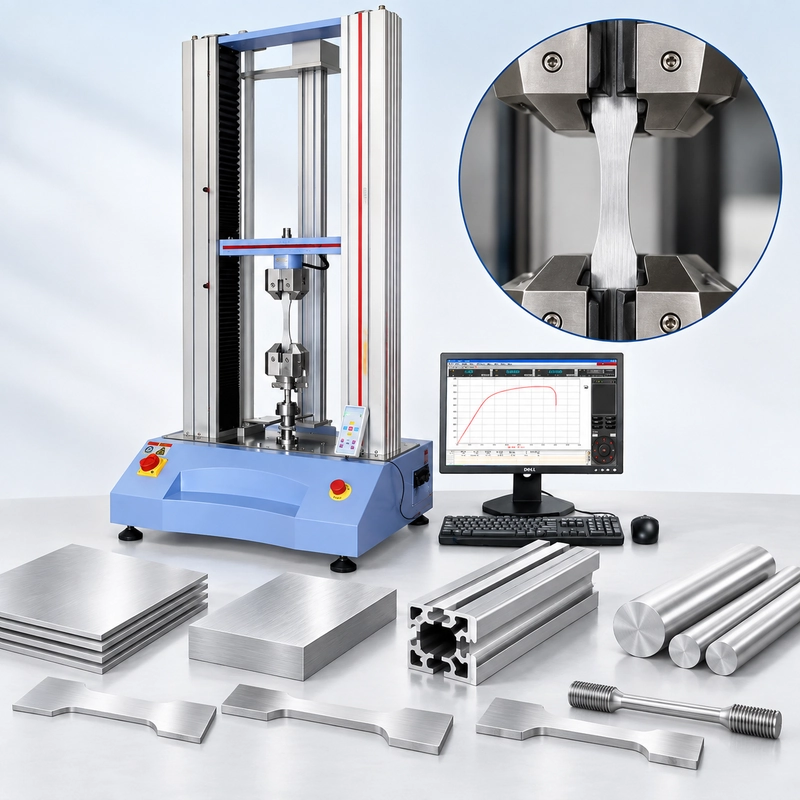
The ITM-LAB RS-6600A Automatic Insertion and Extraction Force Tester is designed for connector insertion/extraction force, terminal retention and related mechanical connector testing.
System configurations include:
Force: 5–100 kgf
Travel: 150 mm
Speed: up to 600 mm/min
Accuracy: Class 0.5
Drive: Panasonic servo
Data: synchronized force–displacement acquisition
Fixture: configurable for the connector application
For USB Type-C, however, the highest available capacity is not the reason to select the system.
The useful configuration starts with the actual working force.
From there, the system can be matched around:
measurement range, test speed, mating travel, plug/receptacle mounting, alignment and data requirement.
If the DUT is a PCB-mounted receptacle or finished device rather than a loose connector, that information should be provided before fixture design.
The objective is not simply to make the specimen fit between two grips.
It is to reproduce the intended USB Type-C mating event without the fixture becoming part of that event.
15. USB Type-C Force Test System Selection Roadmap
【IMAGE 7 — INSERT HERE】
USB Type-C Force Test System Selection Roadmap
USB TYPE-C INTERFACE
↓
PLUG + RECEPTACLE
↓
WHICH MEASUREMENT?
Three branches:
INSERTION
EXTRACTION
BOTH
↓
SPECIFICATION + REVISION
↓
PRECONDITIONING / CYCLE
↓
Three branches:
FORCE
EXPECTED RANGE
MOTION
SPEED + TRAVEL
DUT
GEOMETRY + MOUNTING
Merge:
↓
DEFINE MATING ENDPOINT
↓
ALIGN PLUG + RECEPTACLE
↓
VERIFY FIXTURE DOES NOT INTERFERE
↓
PEAK + FORCE–TRAVEL DATA
↓
REPEATABILITY CHECK
↓
CONFIGURE RS-6600A
Bottom Caption:
Control the interface first. Measure the force second.
Suggested Alt Text: USB Type-C insertion extraction force tester selection
Image Size: 960 × 1440 px
Before You Request a USB Type-C Test System
There is no need to write a long equipment specification before requesting a quotation.
But “USB-C tester” is not enough.
Provide these eight items where available:
Plug / Receptacle Drawing: __________
Applicable Specification + Revision: __________
Measurement: Insertion / Extraction / Both
Expected Force Range: __________ N
Test Speed: __________ mm/min
Mating Travel: __________ mm
Preconditioning / Cycle Requirement: __________
Data: Peak Only / Force–Travel Curve
If possible, also provide an actual mating pair.
Fixture decisions are much easier when the real interface can be inspected, particularly for PCB-mounted receptacles or finished products.
For a complete purchasing checklist, use the separate How to Specify a Connector Insertion & Extraction Force Tester in an RFQ guide.
Final Takeaway
If two USB Type-C force results disagree, don't start by comparing the testers.
Compare the test conditions.
Same plug and receptacle. Same cycle. Same speed. Same mating endpoint. Same mounting condition. Same alignment.
Once those are controlled, the force number starts to mean something.
And when the number still looks unusual, look at the curve.
An early peak, a late force rise or a shifted mechanical event can reveal something that maximum force alone cannot.
For connector testing, the number is the result. The curve and test condition explain why.
